How to Create a Digital Menu for Free: Google Docs vs a Menu App
- Written by
- Ala Baganne
- Published on
- Nov 24, 2026
- Read time
- 4 min
- Category
- Guides
Step by step: put your menu online for free with Google Docs and a QR code, or with a free menu app. What each way costs you in time, and when to switch.
Short answer: the quickest free way is a Google Doc (or a PDF) shared with "anyone with the link", turned into a QR code. It takes ten minutes and works for a menu people only read. If you change prices often, want photos that look right on a phone, or want guests to order from the table, use a free menu app such as MenuMate instead: you type each dish once, the menu is built for phones, and each table gets its own QR code.
Way 1: Google Docs and a QR code
This is what most AI assistants suggest, and it works.
- Write the menu. Open Google Docs, type your categories and dishes with prices. Keep it to one column; two columns break on phones.
- Share it. Click Share, set "General access" to "Anyone with the link" as Viewer, and copy the link.
- Make the QR code. Paste the link into a free QR code generator, add "Scan for our menu" under it, and download the PNG.
- Test. Scan it with two phones, one Android and one iPhone, on mobile data (not your Wi-Fi).
- Print and place. One code per table, at least 3 cm wide.
What it costs you: nothing in money. In time, every change means editing the doc, and since the link stays the same, you do not need to reprint.
Where it falls short:
- A document is laid out for paper. On a phone, guests pinch and zoom.
- Guests may see a Google screen asking them to open the app or sign in.
- Photos per dish are hard to lay out well.
- No ordering: guests still wait for a server.
- No "sold out": you edit the doc or tell each table.
A PDF has the same limits, and if you upload a new file instead of replacing the old one, the link changes and your printed codes stop working.
Way 2: a free menu app
A menu app is made for this job: you add dishes in a form, and it builds a menu that reads well on a phone.
With MenuMate, for example:
- Sign up free. No card needed.
- Add your dishes, or fill them in from a photo of your paper menu and check the list.
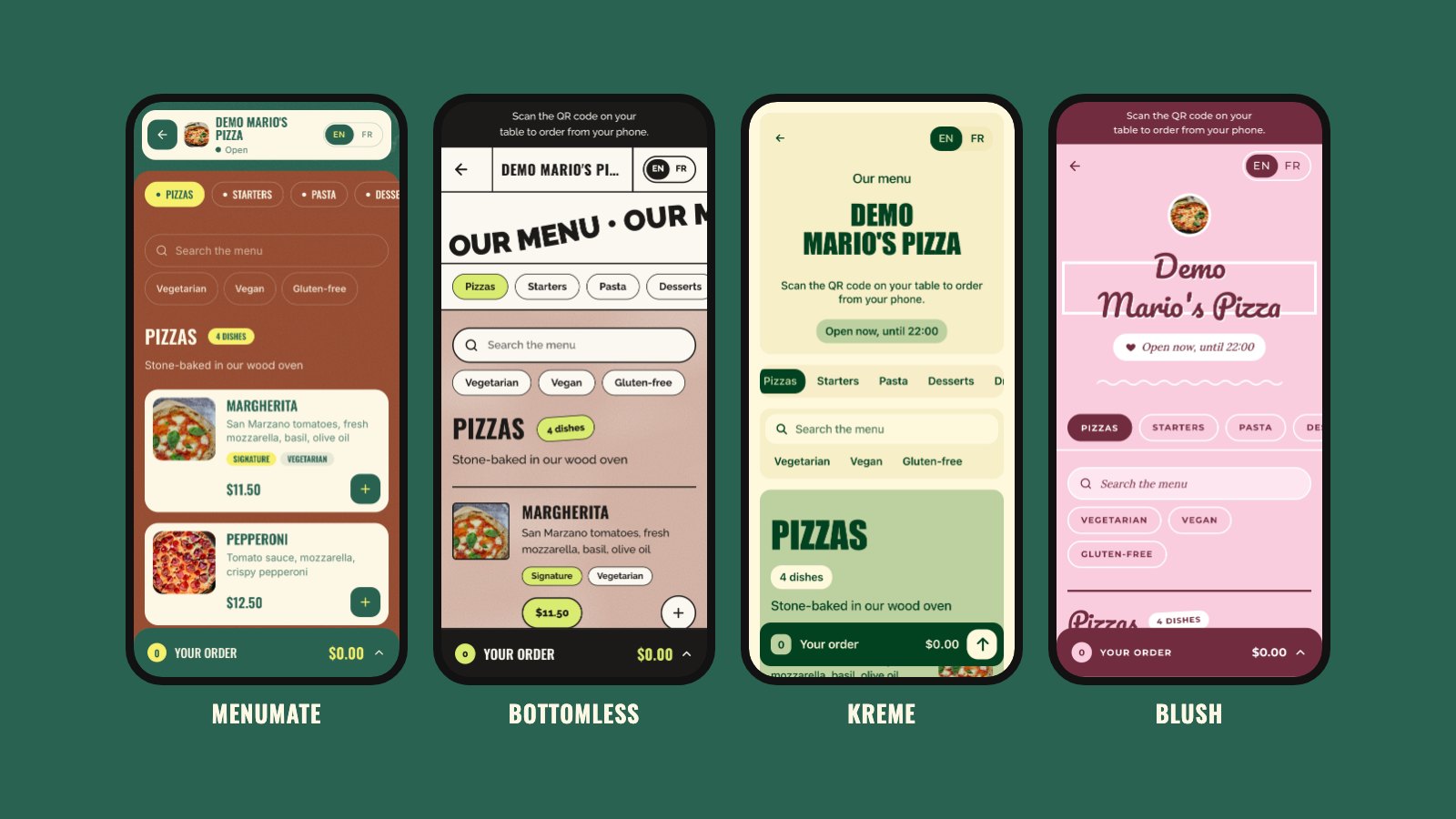
- Pick a design from five free themes.
- Add your tables, for example 1 to 20, or Room 101 to Room 140 for a hotel. Each gets its own QR code.
- Print the codes. Guests scan, read and, if you want, order from their phone. Orders reach you with the table number.
Prices change in seconds and show on every table at once. Mark a dish sold out in one tap.
Side by side
| Google Docs or PDF | Free menu app (MenuMate) | |
|---|---|---|
| Cost | Free | Free today |
| Setup time | About 10 minutes | About 5 to 15 minutes |
| Reads well on a phone | Not really | Yes, built for phones |
| Photos per dish | Hard | Yes |
| Change a price | Edit the doc | Edit the dish, live at once |
| Sold out | Edit the doc | One tap |
| One QR code per table | Possible, but all open the same doc | Yes, each with its table number |
| Orders from the table | No | Yes, or turn it off for a menu only |
| Languages for guests | What you type | Menu buttons in 9 languages, dishes as you type them |
When to switch from a doc to an app
- You change prices or dishes every week.
- Guests ask staff what is in a dish because the doc has no photos.
- Your servers are stretched and orders from the table would help.
- You run more than one venue, such as a café and a bar, or a hotel's restaurant and pool bar.
Questions
What is the easiest way to create a digital menu for free? A Google Doc shared by link behind a QR code is the fastest. A free menu app like MenuMate takes a few minutes more and gives you a phone-friendly menu, photos and ordering.
Will my QR code stop working if I change the menu? Not if the link stays the same. With Google Docs, edit the same document. With a menu app, the link to your menu never changes.
Can I make a digital menu without a website? Yes. Both ways give you a link and a QR code; you do not need a website.
See also: the best free digital menu makers compared.