Free digital menu maker for restaurants
Create a digital menu for your restaurant or café in a few minutes. Add your dishes, prices and photos, choose one of five designs and print a QR code for each table. Guests open the menu on their phone and can order from the table, with no app to install.
Sample menus:Tunisia · DTUnited States · USD
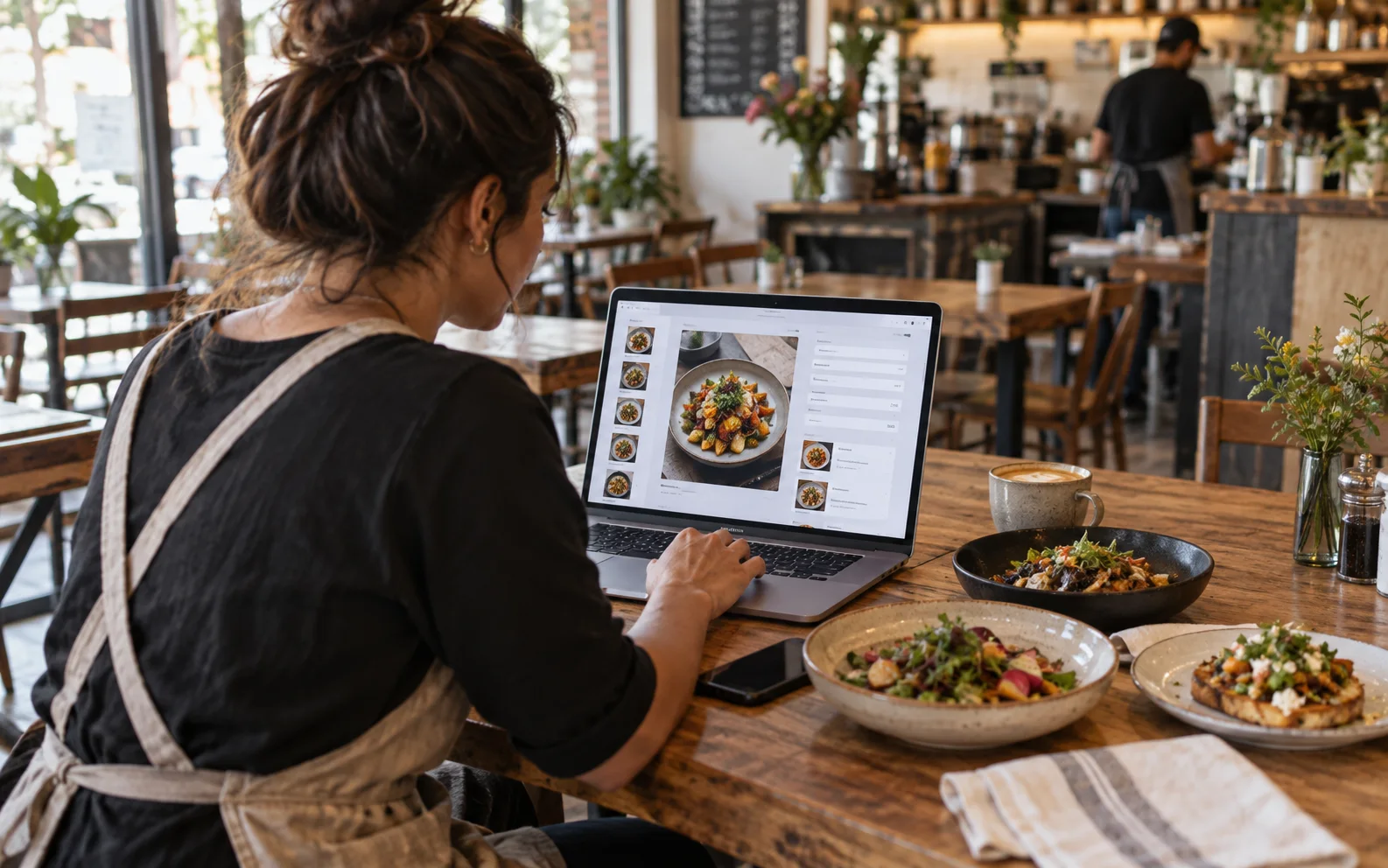
A live menu, not just a pretty file
Your own menu link
Every restaurant gets its own mobile-friendly menu page. Share it on your Google profile, Instagram or WhatsApp.
Dishes, photos and prices
Add categories, dishes, descriptions, photos and prices in your own currency. Changes go live right away.
Five free designs
Pick MenuMate, Bottomless, Kreme, Blush or Noir. Switch any time: your dishes and QR codes stay the same.
A QR code for every table
Print one code per table, so each order arrives with its table number.
Search and diet filters
Guests search the menu and filter vegetarian, vegan and gluten-free dishes.
Signature and spicy tags
Mark your signature or spicy dishes so they stand out on the menu.
Open now, from your hours
Add your opening hours and the menu tells guests if you are open now.
Orders from the table
Guests send their order from their phone and you see it live. Or turn ordering off and keep a menu only.
PDF menu for print
Download a printable PDF of the same menu when you also want it on paper.
Make your digital menu in four steps
- 1
Sign up
Create a free account and add your restaurant. No card needed.
- 2
Add your menu
Add categories and dishes with prices, short descriptions and photos.
- 3
Pick a design
Choose one of five themes and check it on the phone preview.
- 4
Print your QR codes
Print a code for each table and share your menu link everywhere.
Five free menu designs
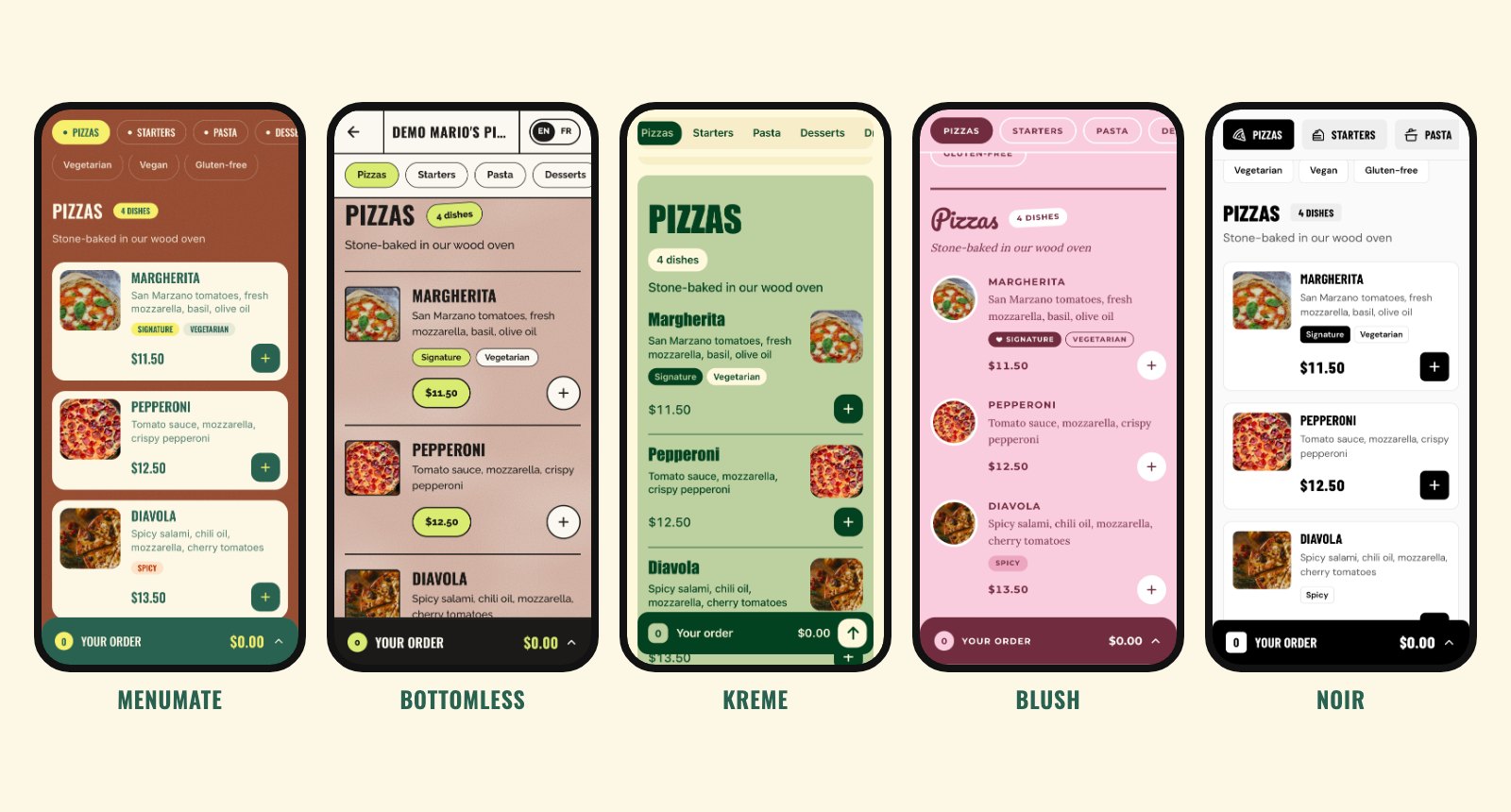
The same menu in five styles. Here is our demo pizzeria in MenuMate, Bottomless, Kreme, Blush and Noir. Every design has the same features, so pick the one that looks like your place.
For any place that serves food
Use the menu maker for one café or several restaurants. Prices show in your currency, the menu buttons and cart work in English and French, and your dishes show exactly as you write them.
- Restaurants
- Cafés and coffee shops
- Bars and wine bars
- Bakeries and pastry shops
- Snack bars and food trucks
- Hotels and rooftops
Menu maker or design template?
Design tools like Canva help you lay out a menu to print or save as a PDF. MenuMate makes a live menu: change a price once and every table sees it, and guests can order from their phone. It is free. Looking at other QR menu apps? See how MenuMate compares with MenuTiger.
MenuMate vs MenuTigerIs the menu maker really free?
Yes. You create your menu, pick a design, print your QR codes and take orders without paying. No card is needed to sign up, and there is no fee on orders.
Do I need design skills?
No. You type your dishes and prices and choose a theme. The layout, fonts and colors come with the theme.
Can I change prices or dishes later?
Yes, any time from your dashboard. The change shows on the menu right away, so you never reprint a menu for a new price.
Do guests need an app?
No. They scan the QR code with their phone camera and the menu opens in the browser.
Can I print my menu too?
Yes. Download a PDF version of your menu from the dashboard.
Can guests pay through the menu?
No. MenuMate takes the order, and guests pay you directly, the way they do today: cash, card terminal or at the counter. There are no payment fees.
