Free menu templates for restaurants, cafés and bars
Pick a template, type your dishes and prices once, and download a print-ready PDF menu. The same menu also works as a QR code menu that guests open on their phone. No design skills needed, and it is free to use today.
5 printable menu templates
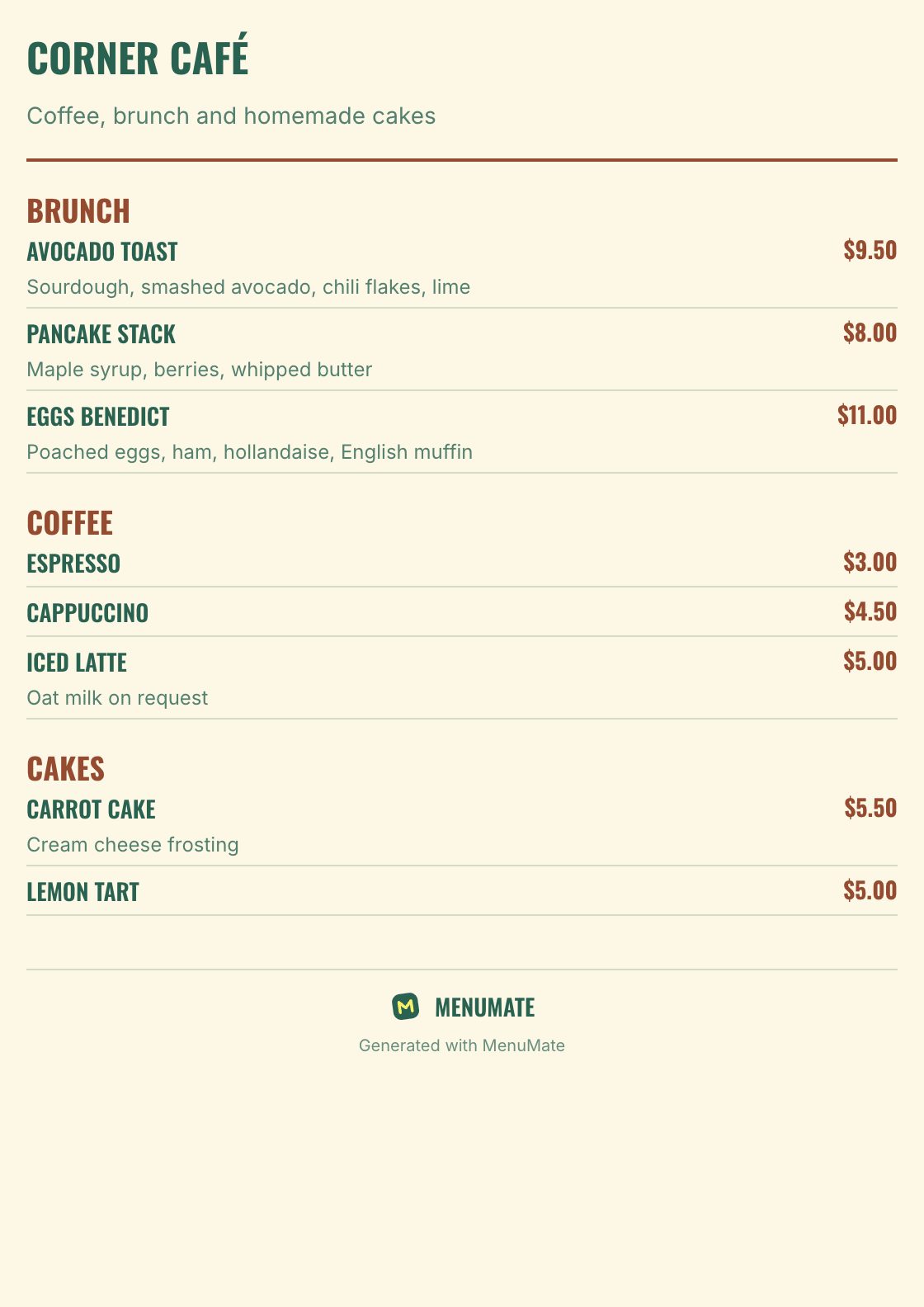
Each picture is a real page from the MenuMate PDF menu, here with a sample café menu. Your PDF is A4, has as many pages as your menu needs, and ends with a page that holds your menu’s QR code.
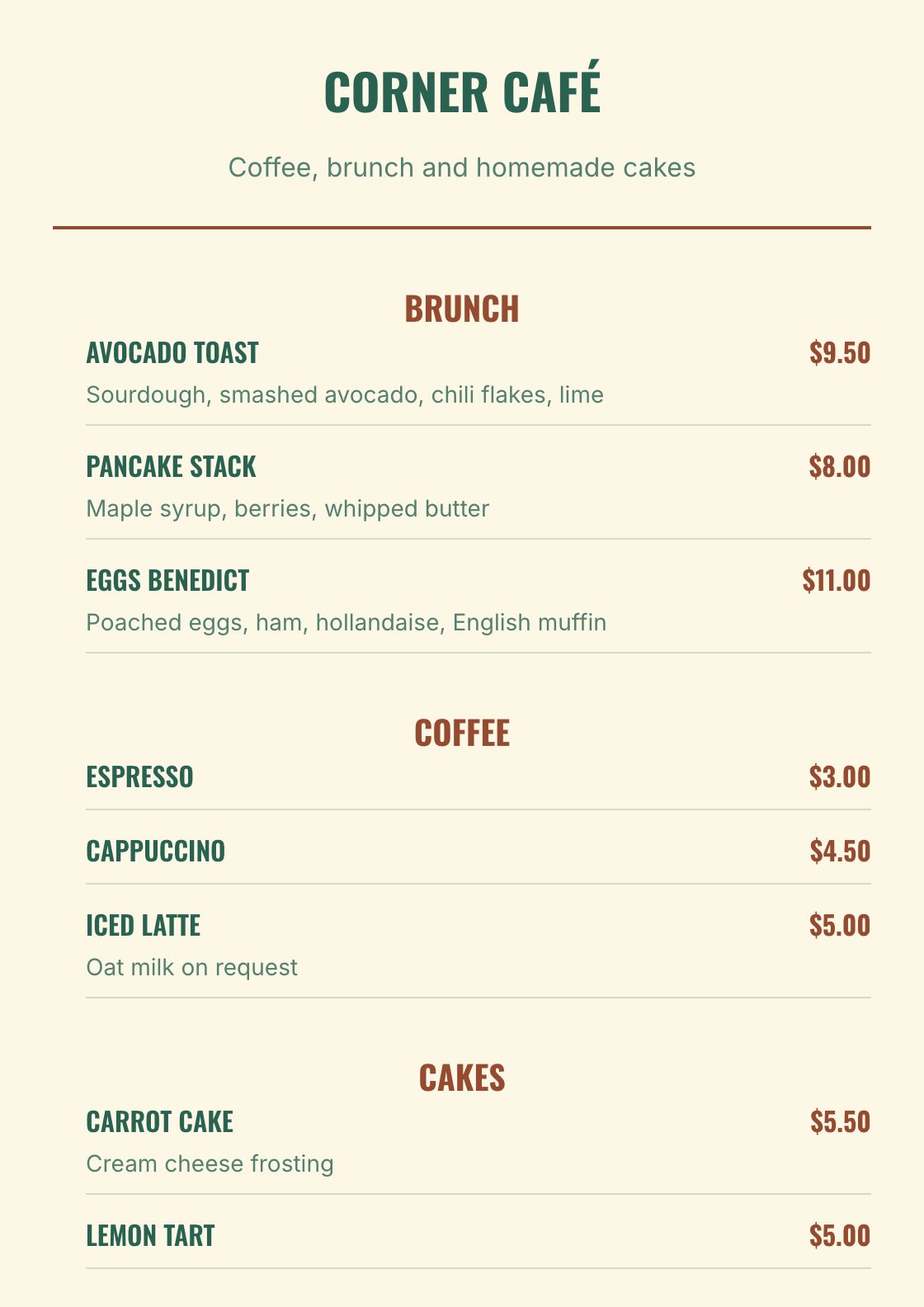
Classic
Centred titles and rust red accents. Good for a bistro or a family restaurant.
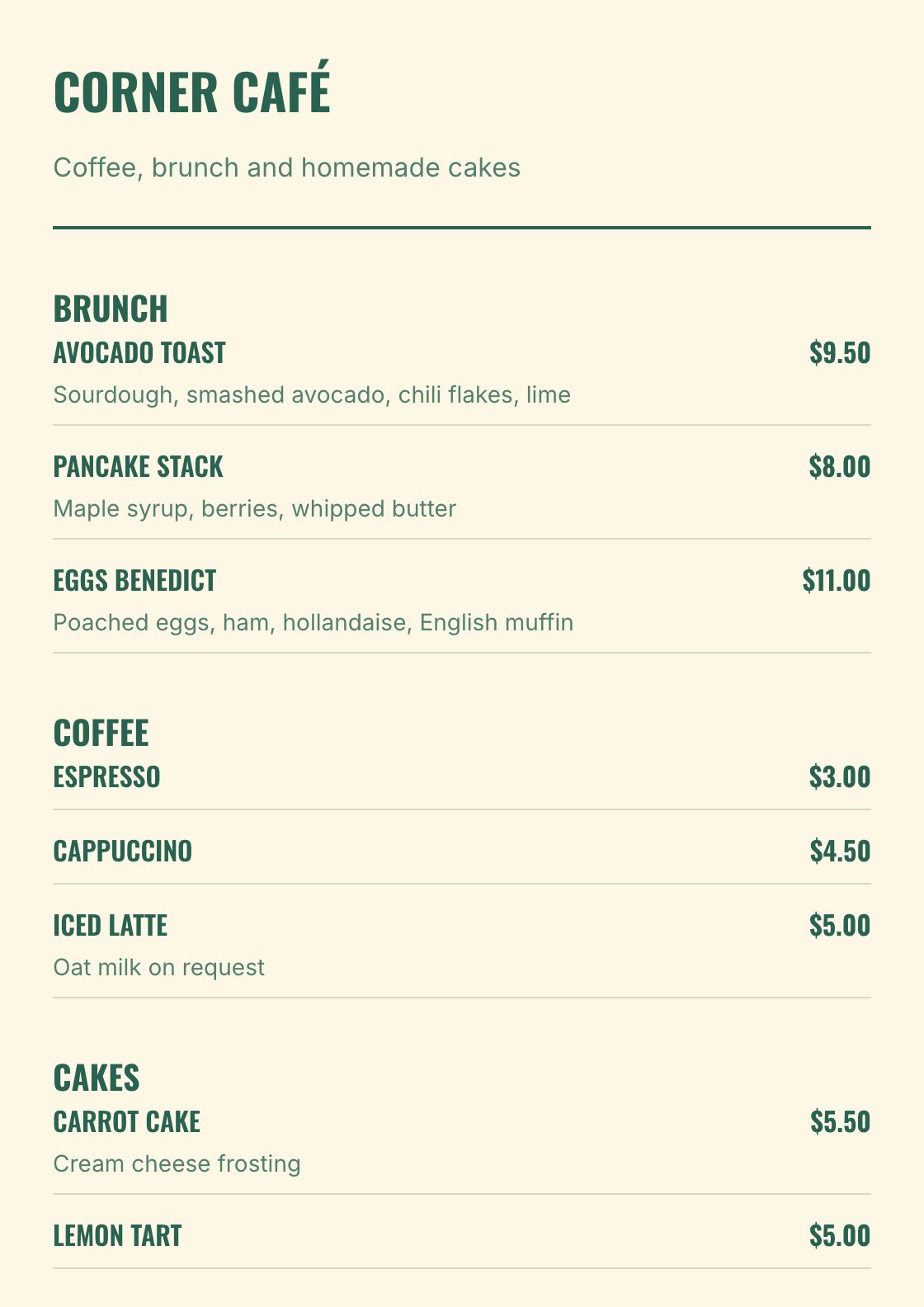
Modern
Titles on the left and clean green lines. Fits most restaurants and cafés.
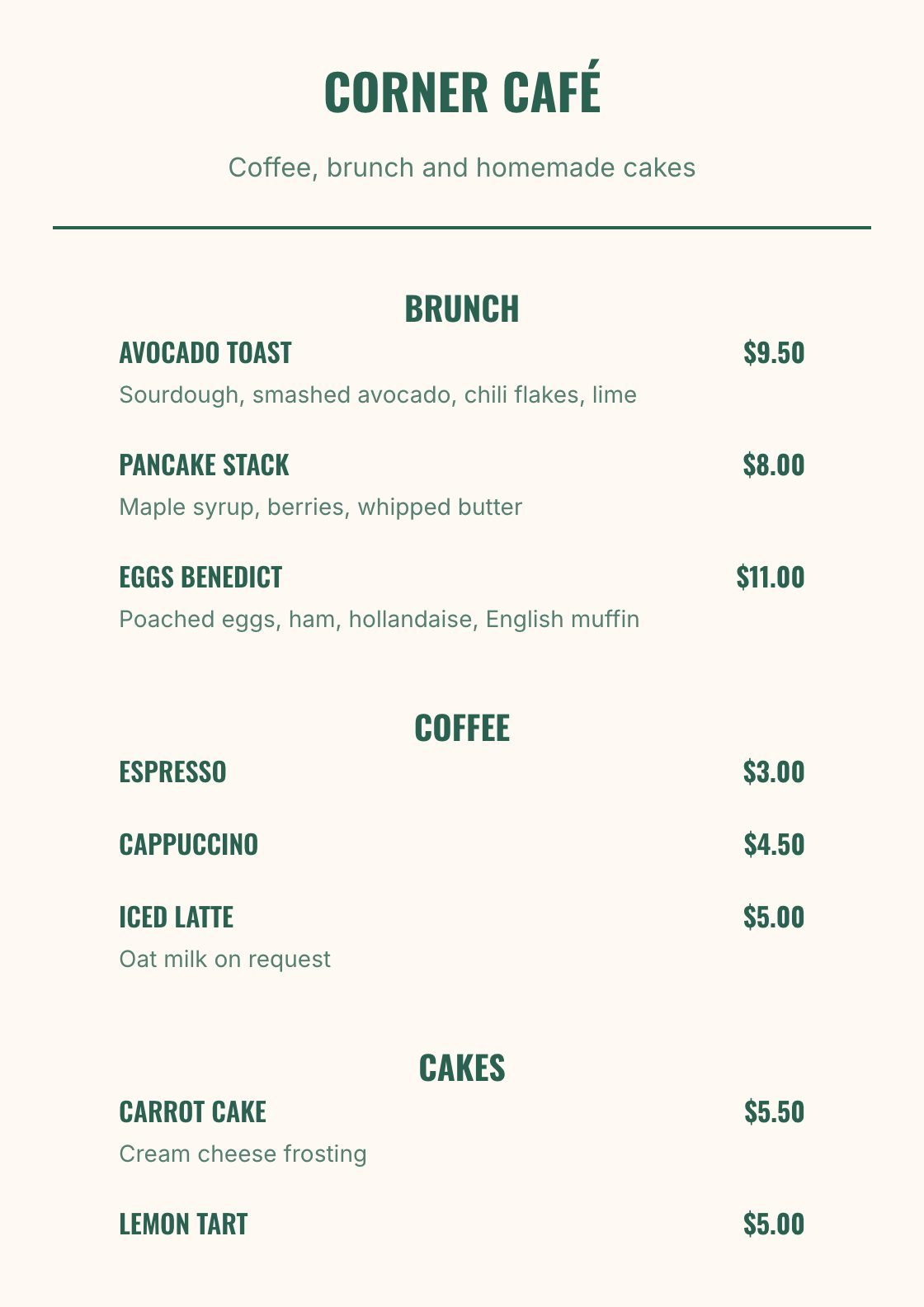
Minimal
Centred, airy and without lines between dishes. Good for a short menu.
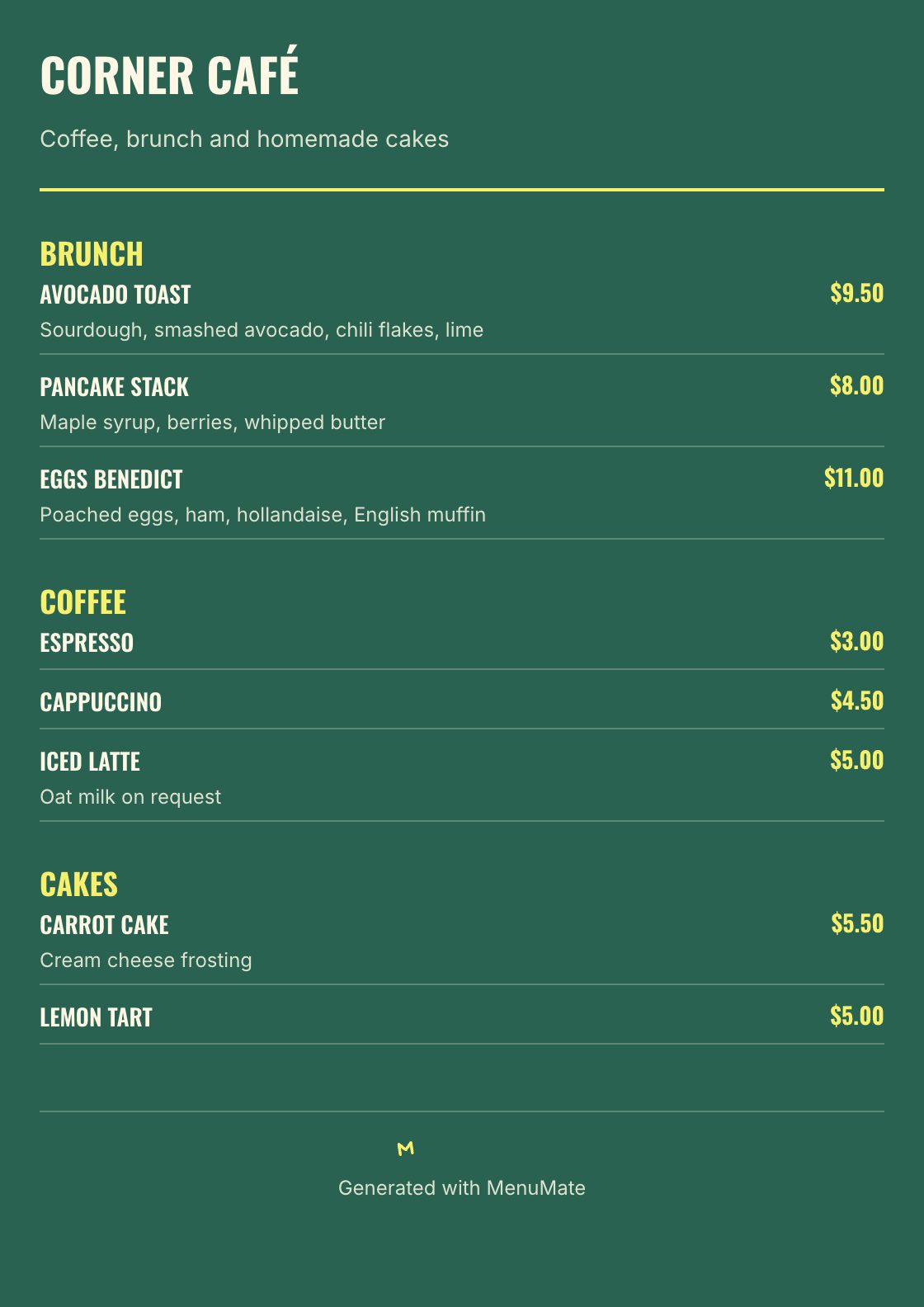
Dark
A deep green page with yellow titles and prices. Good for a bar or an evening menu.
Compact
Smaller type and tight rows. Fits a long menu or a drink list on fewer pages.
5 designs for your QR code menu
Guests who scan the QR code on their table see your menu in one of five free designs, right in their phone’s browser, with photos if you add them. The dishes and prices are the same as in your PDF, so you only change them once.
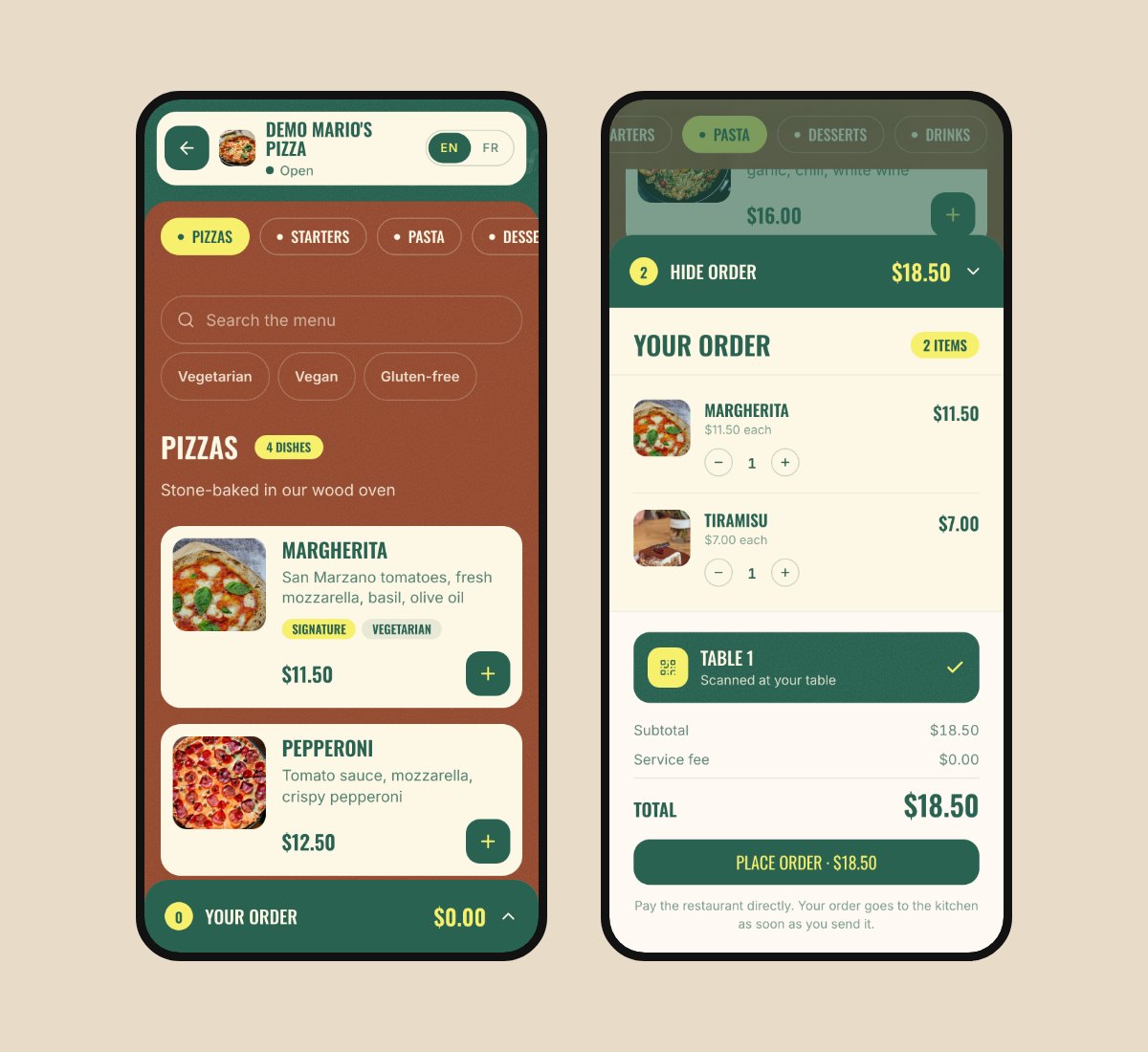
MenuMate
Deep green and rust, big headings and tilted stickers.
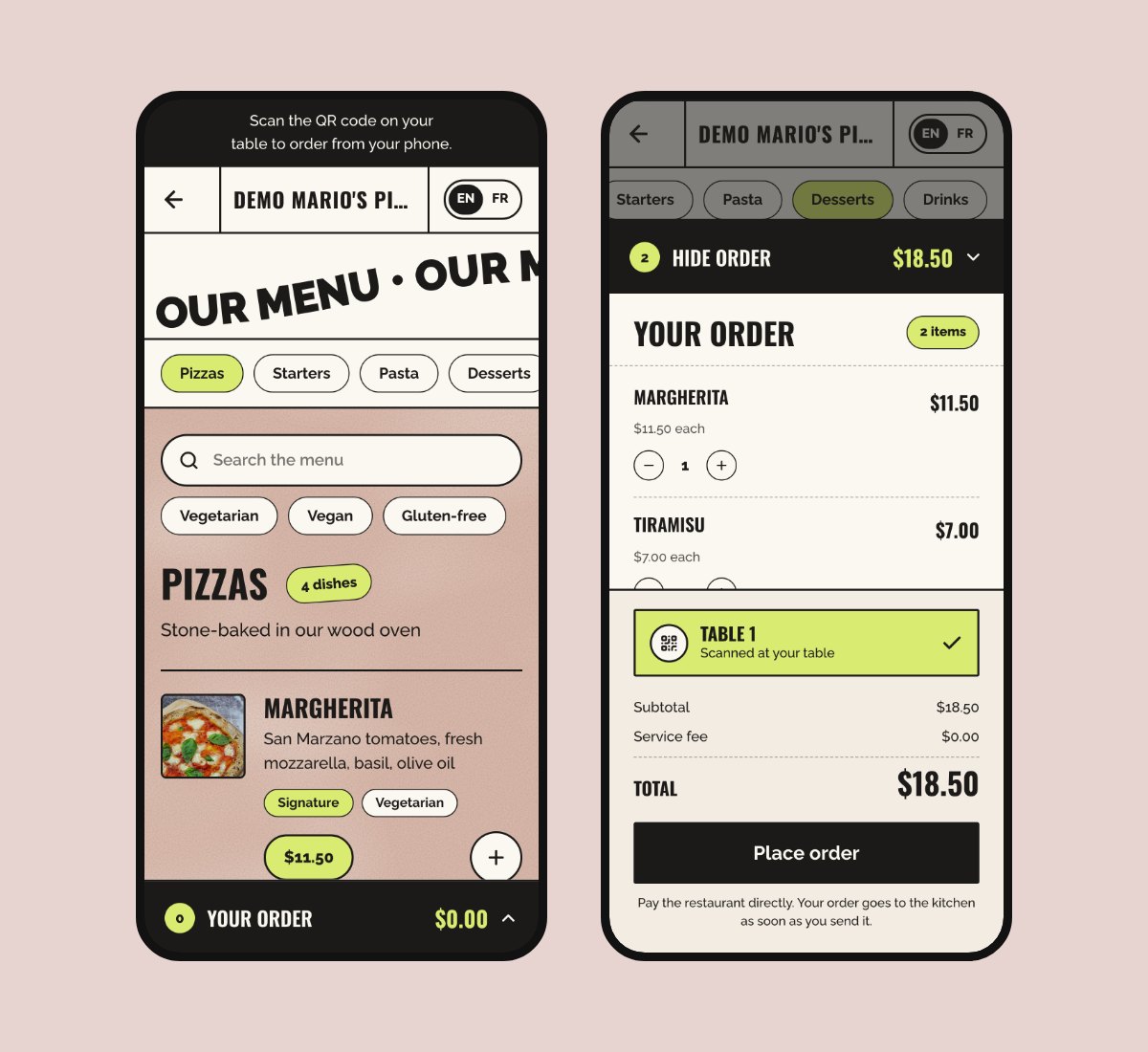
Bottomless
Cream paper, thick ink lines and a dusty rose menu, like a café poster.
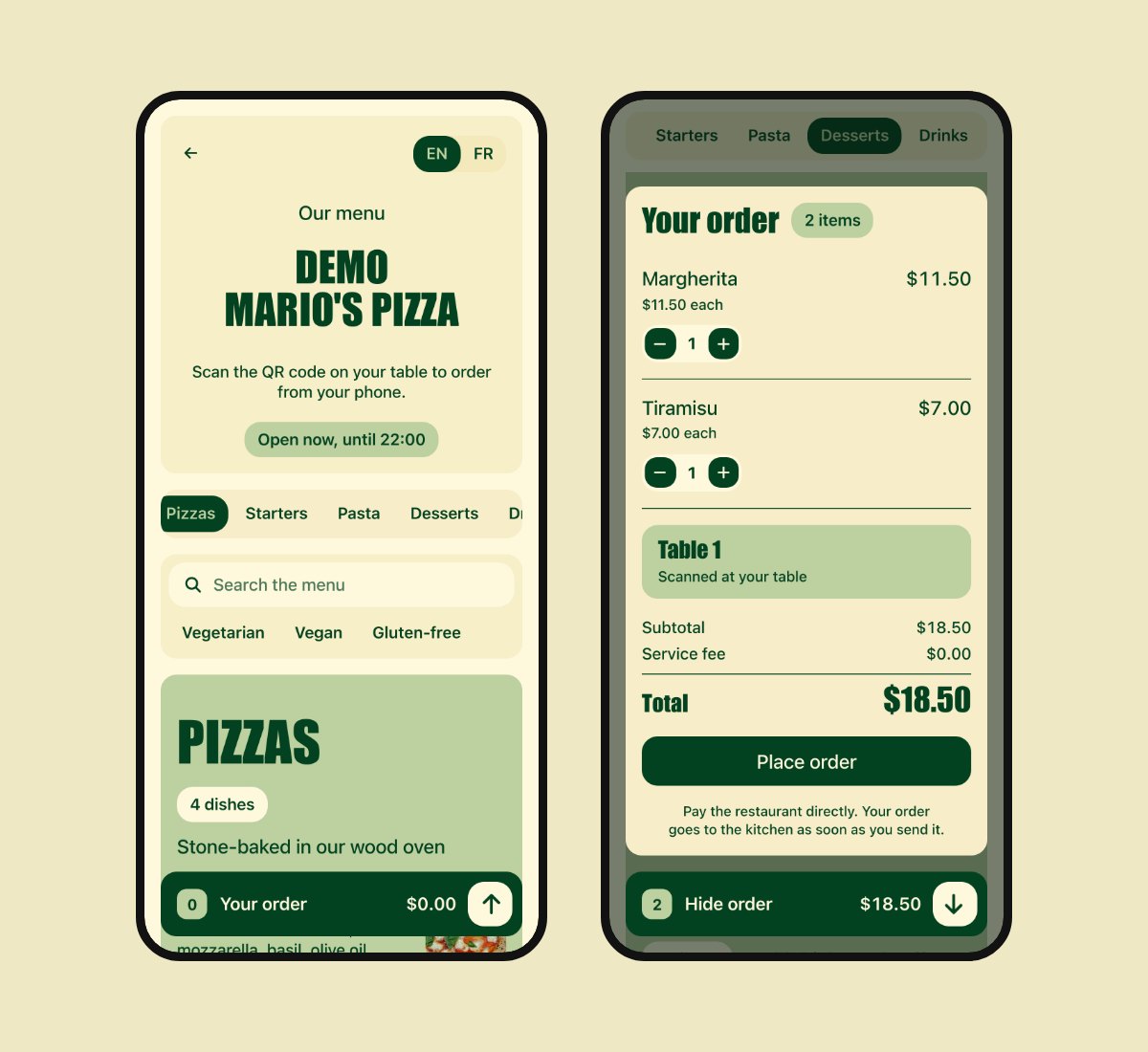
Kreme
Cream and forest green, giant capitals, each section in its own box.
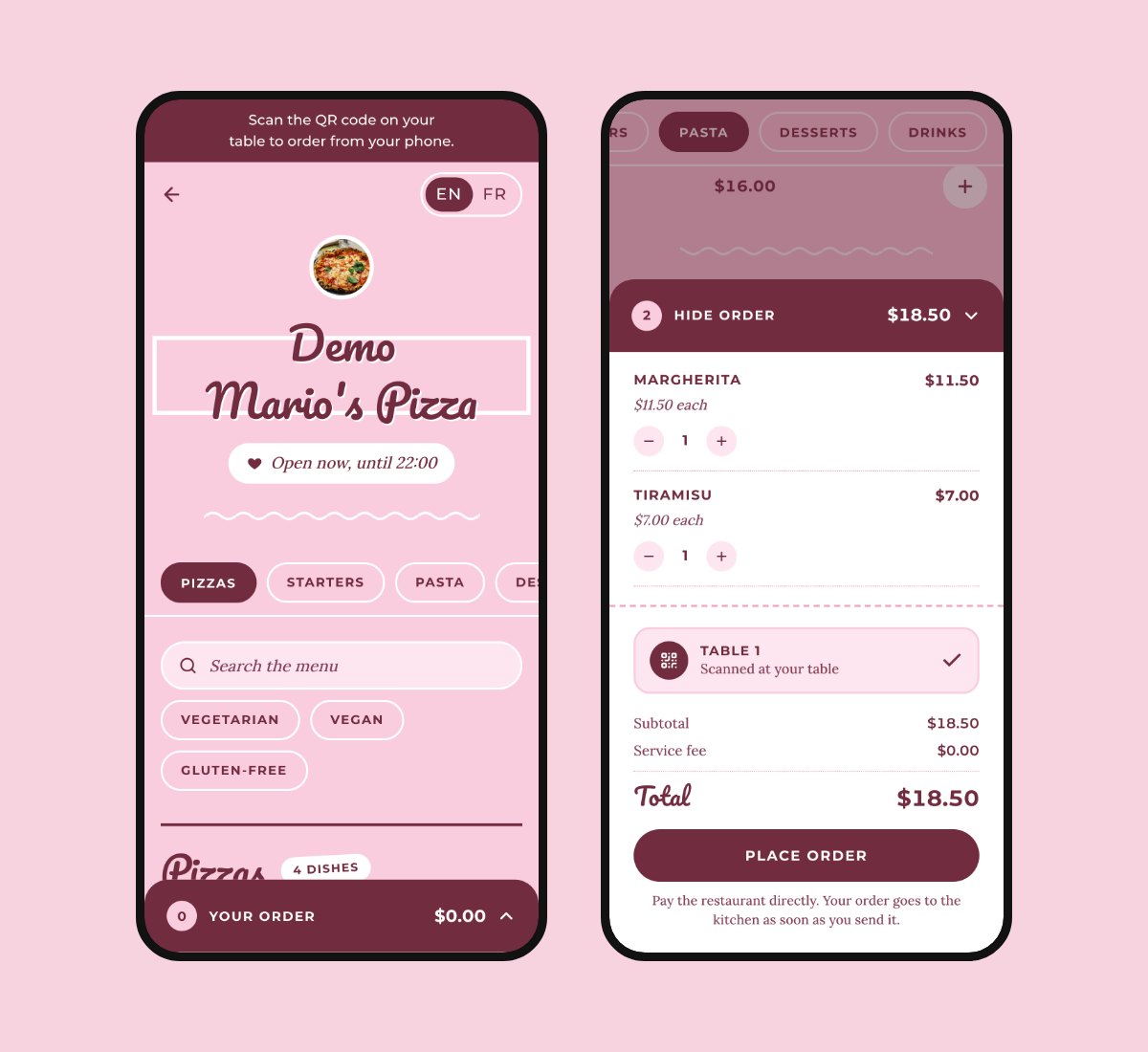
Blush
Candy pink paper, wine red script titles and white frames.
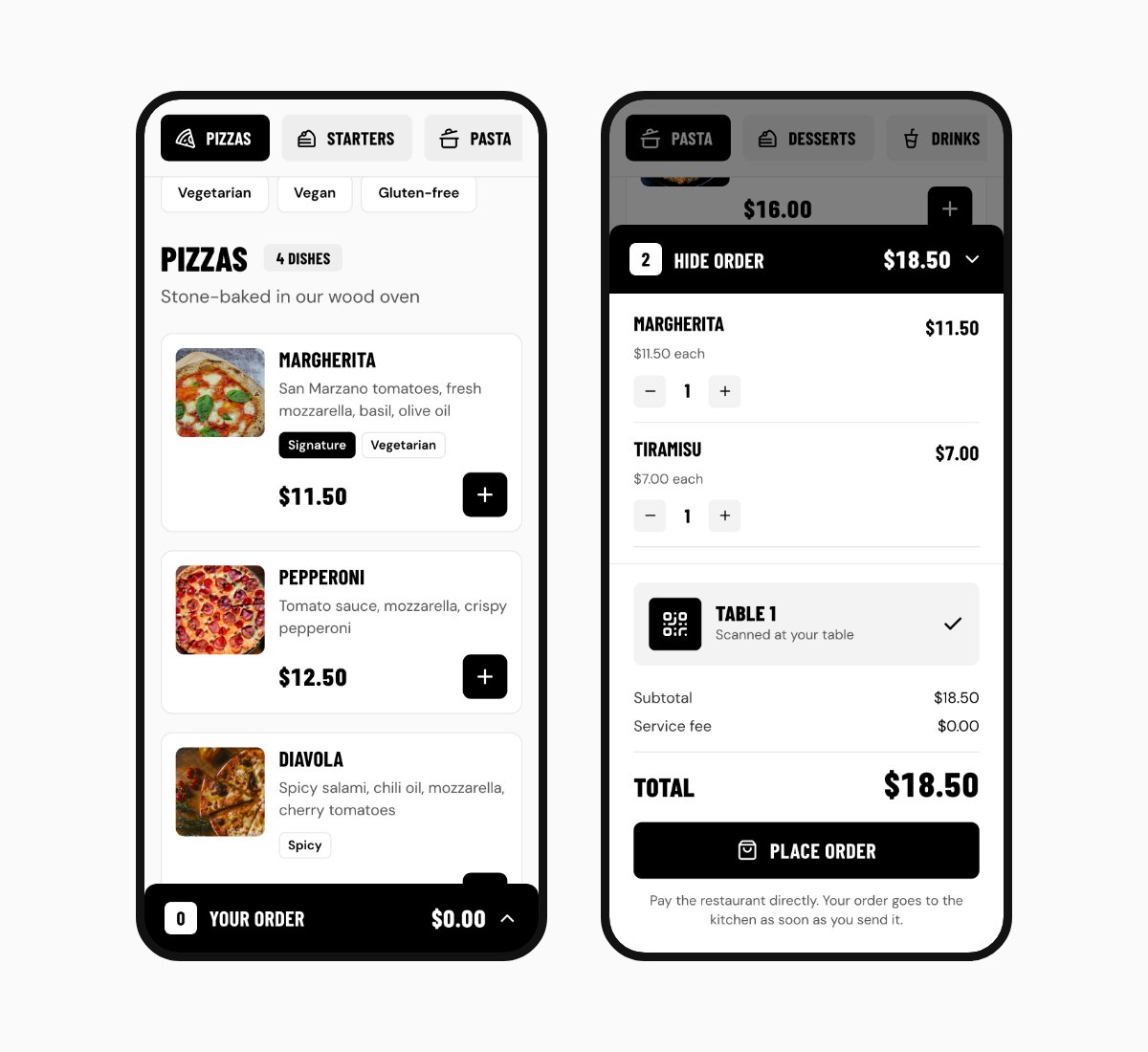
Noir
Black and white with a bold banner. Made for high-end restaurants.
How to make your menu from a template
- 1
Create a free account
Sign up with your email. No card needed.
- 2
Add your dishes
Type your sections, dishes, prices and descriptions, or start from a photo of your paper menu.
- 3
Pick a template
Open “QR codes & PDF”, choose one of the five templates and download your PDF menu.
- 4
Print and share
Print the menu, and print a QR card for each table so guests can also open it on their phone.
Blank template or MenuMate?
A blank Word or Canva template is fine for many places. Here is how to choose.
A blank template is enough if
- Your menu rarely changes
- You want to move every element and pick your own fonts
- You only need a paper menu
MenuMate helps if
- Your dishes or prices change often: you change them once and the PDF and the QR code menu both follow
- You want the same menu on paper and on phones
- You want guests to order from their table, or to take table bookings
What the templates don’t do
- There is no drag-and-drop editor: each template comes with its own colours, fonts and layout.
- The PDF menu has no photos. Photos show on the online menu.
- You get a PDF, not a Word or Canva file.
- Dishes are not translated for you: they show as you write them.
- The PDF has a small “Generated with MenuMate” line at the bottom.
Are these menu templates free?
Yes. MenuMate is free to use today, PDF download included, and you don’t need a card to sign up.
Can I edit the template?
You edit everything on the menu: sections, dishes, descriptions and prices. The colours, fonts and layout come with the template, and you can switch to another template at any time.
What size is the PDF menu?
A4. It has as many pages as your menu needs, and the last page holds a QR code that opens your online menu.
Can I make a drink or bar menu?
Yes. You name the sections, so it works for a drink menu, a cocktail list, a wine list or a full bar menu. The Compact template fits long lists on fewer pages.
Do I need design skills?
No. You type your dishes and prices, and the template takes care of the layout.
What if my prices change after I print?
Change them in MenuMate and download a new PDF. The QR code menu changes at once, so guests on their phone always see the new prices.
