Digital menu board for your restaurant
MenuMate (menumate.net) turns any TV with a web browser into a digital menu board. Open one link on the screen and your menu shows up in big, easy-to-read pages that turn by themselves. It uses the same menu as your QR code menu, so a new price or a sold-out dish changes on the TV within about a minute. There is no app to install and no hardware to buy from us. MenuMate is free during the pilot.
Sample menus:United States · USDTunisia · DT
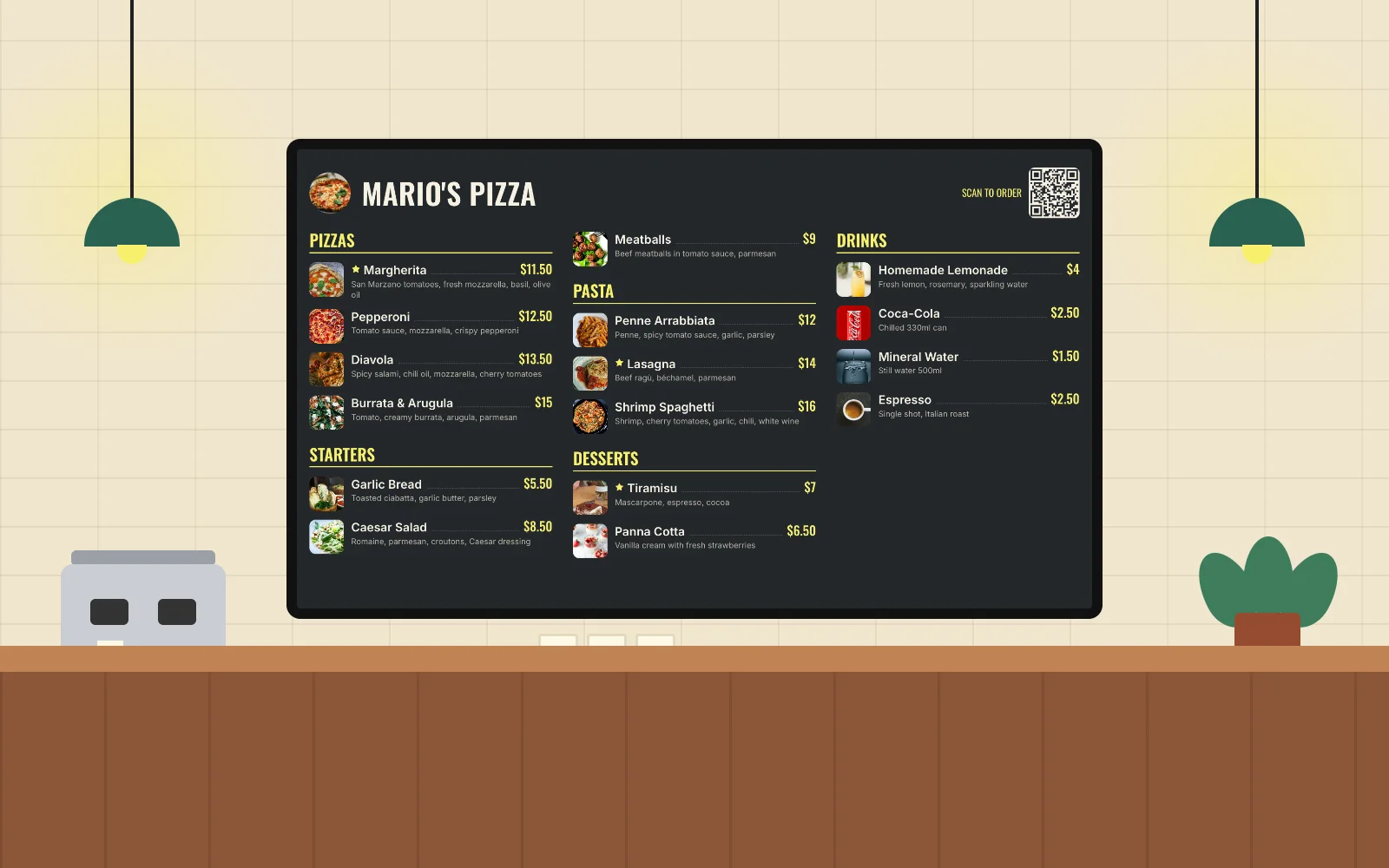
A menu board you can run yourself
One link per screen
Each screen has its own link: menumate.net/your-name/tv, then /tv/2, /tv/3 and so on for more screens.
Works in a browser
Use a smart TV browser, an Amazon Fire TV Stick (Silk browser), a computer or mini PC plugged in by HDMI, or a tablet.
Same menu as your QR menu
Change a price, add a dish or mark a dish unavailable in the menu editor. The TV shows it within about a minute. Unavailable dishes are hidden.
Pick what each screen shows
Show every category on one screen, or put drinks on one and food on another.
Long menus turn by themselves
A long menu is split into pages that change on their own. You choose the time per page: 8, 12, 20 or 30 seconds.
Four colour styles
Chalkboard dark, forest green, cream, or black and white. Landscape or portrait, normal or large text.
Photos, descriptions and QR code
Switch dish photos, dish descriptions and a QR code on or off for each screen. The QR code opens your phone menu.
Signature dishes stand out
Dishes you mark as Signature get a small tag on the screen.
Keeps going offline
If the internet drops, the screen keeps showing the last menu it loaded. It also asks the browser to keep the screen awake, where the browser allows it.
From menu to TV in four steps
- 1
Add a screen
In the dashboard, open the TV screens page and add a screen. Give it a name.
- 2
Choose the look
Pick the categories, the colour style, landscape or portrait, text size and seconds per page.
- 3
Open the link
Open the screen link in the browser on your TV, stick, mini PC or tablet.
- 4
Keep editing the menu
Change the menu as usual. The TV follows without anyone touching it.
What it looks like on a TV
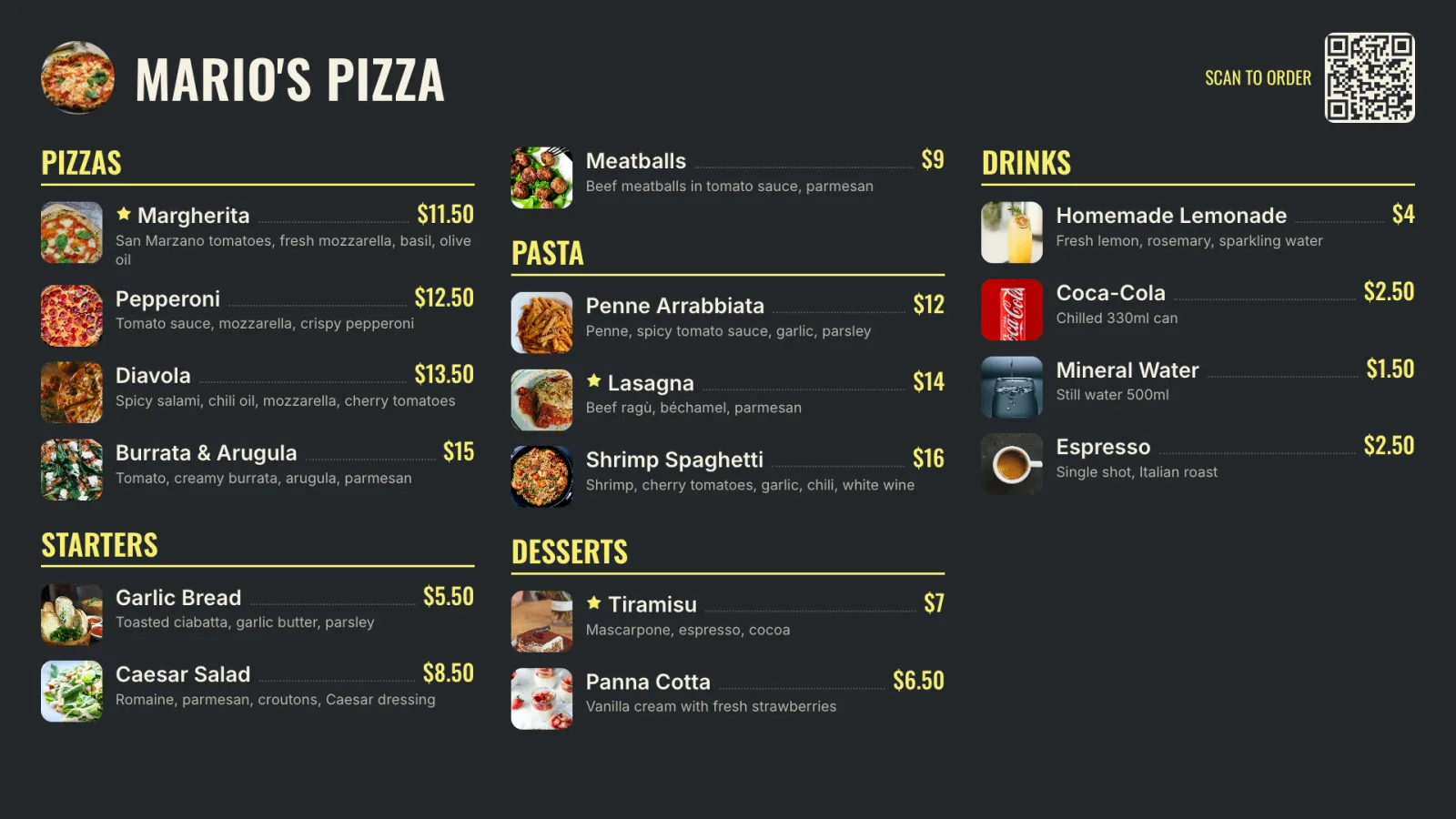
Large type, clear prices and a few items per page, so guests can read the menu from the queue.
For places with a counter or a wall
Any restaurant that wants the menu on a screen without paying for special signage hardware or a monthly signage plan.
- Coffee shops
- Cafes
- Fast casual restaurants
- Pizzerias
- Bakeries
- Food trucks with a screen
- Bars
What the TV menu board does not do
It shows your menu clearly. It is not a full digital signage system.
- No videos or promo slideshows.
- No schedule by time of day, so no automatic breakfast and lunch switch yet.
- No hardware: you use a TV, stick, computer or tablet you already have.
- No remote control of the TV power. Turn the TV on and off as you do today.
- Not an offline app. It keeps the last menu if the internet drops, but it needs a connection to update.
Looking at other menu tools?
Many digital menu board tools charge every month. See how free menu makers compare.
Read the free menu maker comparisonDigital menu board questions
The short answers. Write to us if yours is not here.
Speak with usWhat is a digital menu board?
A digital menu board is a screen, usually a TV, that shows your menu instead of a printed board. With MenuMate it is a web page you open in the TV browser.
What do I need to run a digital menu board?
A screen with a web browser and an internet connection. That can be a smart TV, an Amazon Fire TV Stick, a computer or mini PC plugged in by HDMI, or a tablet. MenuMate does not sell hardware.
How fast does the TV update?
A change in the menu editor shows on the TV within about a minute. You do not touch the TV.
Can I show drinks on one TV and food on another?
Yes. Each screen has its own link and its own choice of categories.
What happens if the internet goes down?
The screen keeps showing the last menu it loaded until the connection comes back.
Does it cost anything?
MenuMate is free during the pilot. You use a TV or device you already own.
