Elegant Digital Menu for High-End Restaurants and Cafés: Meet Noir
- Written by
- Ala Baganne
- Published on
- Nov 11, 2026
- Read time
- 5 min
- Category
- Product Features
Noir is a free black and white QR code menu theme for fine dining restaurants, wine bars and high-end cafés. See it on a phone with our demo pizzeria.
Short answer: Noir is a new, free theme for your MenuMate digital menu. It is black and white, with your restaurant's name in wide heavy capitals on a black banner, bold condensed titles and dishes on flat white cards. There are no colors, shadows or decorations to compete with your food: the only color on the page comes from your dish photos. It is made for fine dining restaurants, wine bars and high-end cafés that want a QR code menu as polished as the room.
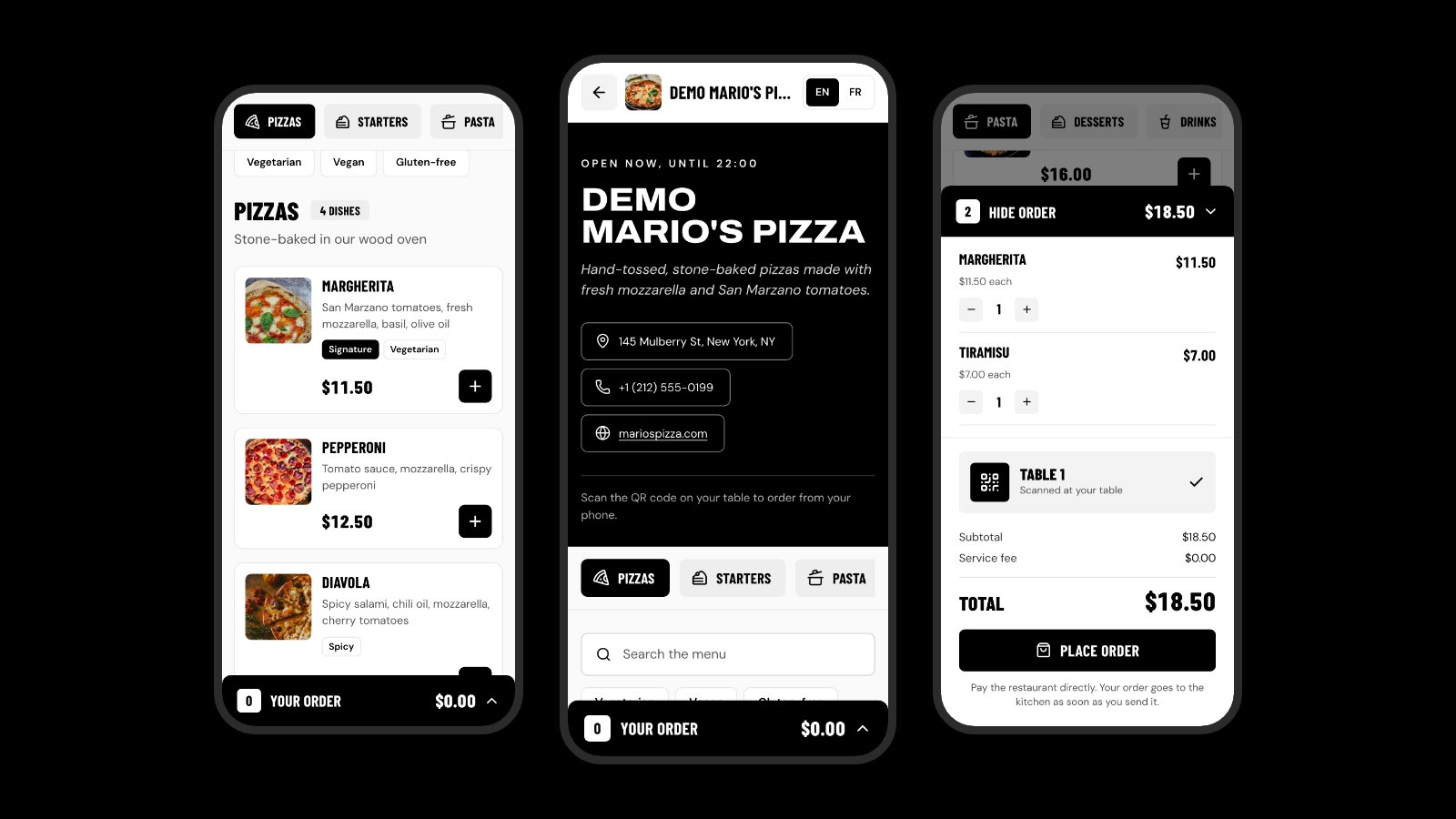
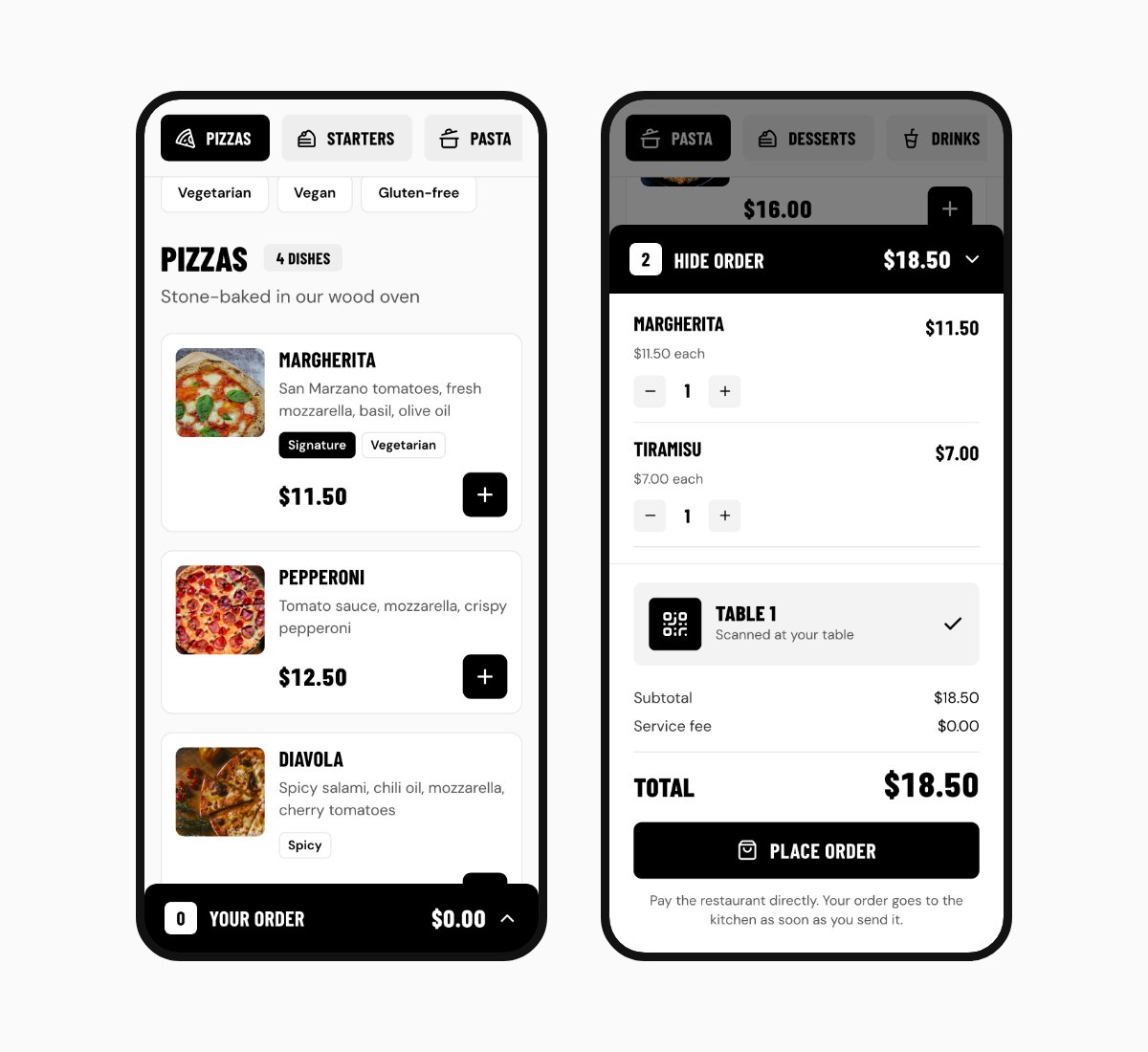
The screenshots below show Mario's Pizza, our demo restaurant, in Noir on a phone. You can open the live Noir demo on your own phone too.
Why a black and white menu
Many high-end restaurants print their menu in black on white paper. It looks calm and sure of itself, and it lets the food and the service do the talking. Noir brings that idea to the phone:
- Your photos stand out. On a page with no other color, a plate of fresh pasta or a glass of red wine is the first thing guests notice.
- It is easy to read. Black on white is the strongest contrast there is, which helps in a dim dining room or on a terrace in the sun.
- It fits any brand. Black and white goes with a marble bar, a wooden counter or a white tablecloth.
What your guests see, from top to bottom
- A white top bar with your logo, your name and an EN / FR language switch.
- A black banner. A small line says if you are open now ("Open now, until 22:00") from your service hours. Below it, your name in wide heavy capitals, your one-line description in italics, and buttons for your address (it opens the map), your phone and your website.
- Tabs with an icon for each section. Noir picks the icon from the section's name: a pizza slice for pizzas, a cup for coffee, a glass for wine, a cake for desserts. The tabs stay at the top while guests scroll.
- Search and filters for vegetarian, vegan and gluten-free dishes.
- Flat white cards. A square photo on the left, the dish name in capitals, a short description, tags like "Signature" or "Spicy", then the price and a black "+" button.
- The order. A black bar at the bottom of the screen shows the number of dishes and the total. It opens into a clean bill with the table number, the total and a "Place order" button.
- Your restaurant again, at the end. Your cover photo, turned black and white under a dark layer, with your name, contact buttons, directions and the week's opening hours, today's row highlighted.
On a laptop, Noir shows the dishes two across with the bill next to them, so guests can see their order while they browse.
Who Noir is for
- Fine dining and chef-led restaurants
- Wine bars and cocktail bars
- Steak houses, sushi bars and seafood restaurants
- Hotel restaurants and rooftop bars
- Specialty coffee shops and high-end cafés or bakeries
If your menu is long and colorful, or your brand is playful, one of our other free themes may suit you better.
Tips to make Noir look its best
- Use good photos. In Noir, photos carry all the color. Take them in the same light, from the same angle, and keep the plate in the middle: Noir shows them as squares.
- Keep dish names short. They are set in capitals, so "Beef Tartare" reads better than a full sentence. Put the details in the description.
- Write a one-line description of your restaurant. It shows in italics under your name.
- Add a cover photo in Settings. Noir shows it at the bottom of the menu in black and white.
- Fill in your service hours. Guests then see "Open now" at the top, and the full week at the bottom.
- Mark a few signature dishes. Turn on "Signature" for a dish and it gets a black tag that stands out on the white card.
How to switch your menu to Noir
- Create your free MenuMate account, or sign in.
- Open your restaurant in the dashboard and go to Theme.
- Tap Noir to see it on the phone preview.
- Save. Your dishes, prices, photos and table QR codes stay exactly the same.
Noir next to the other themes
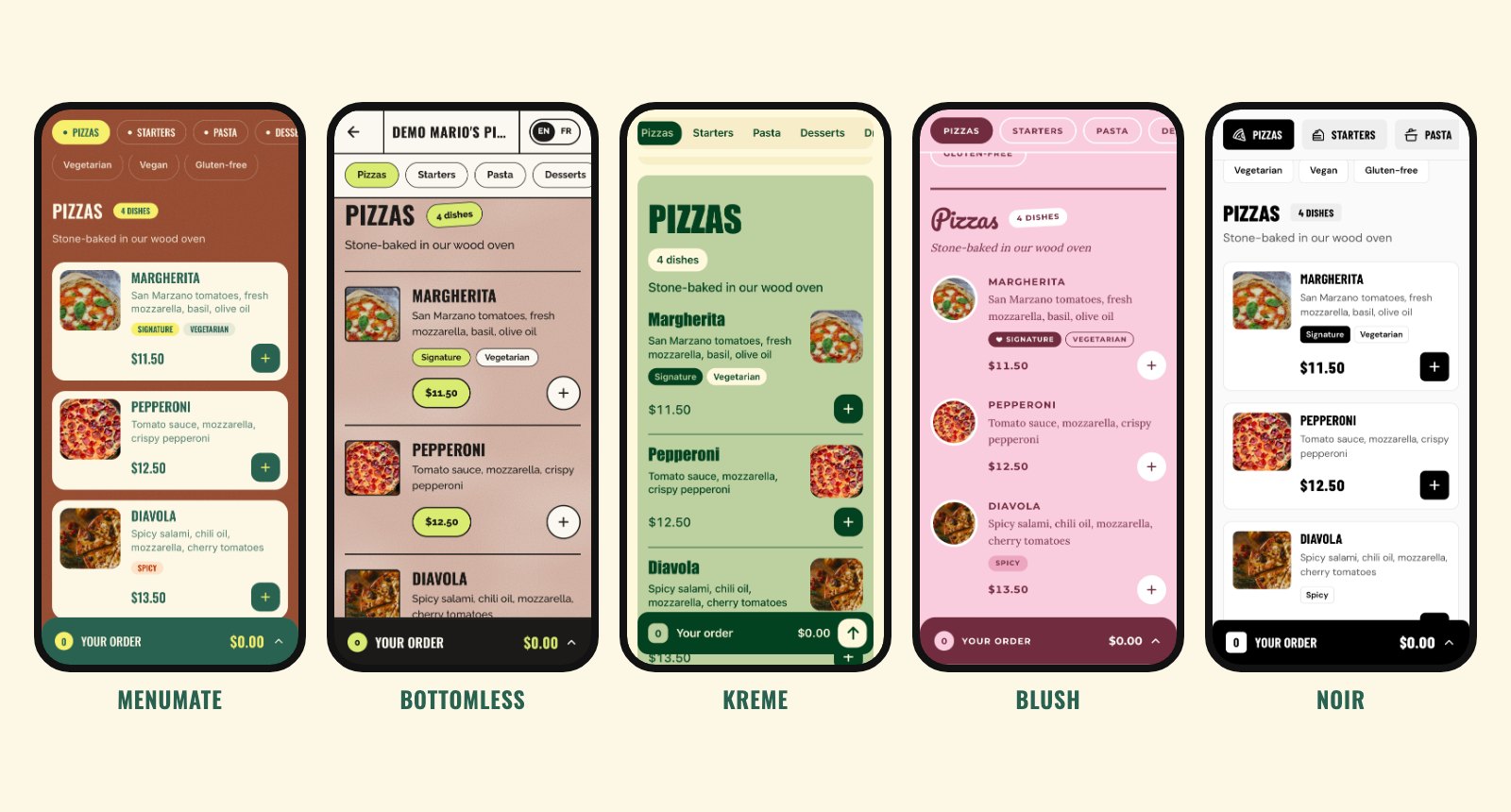
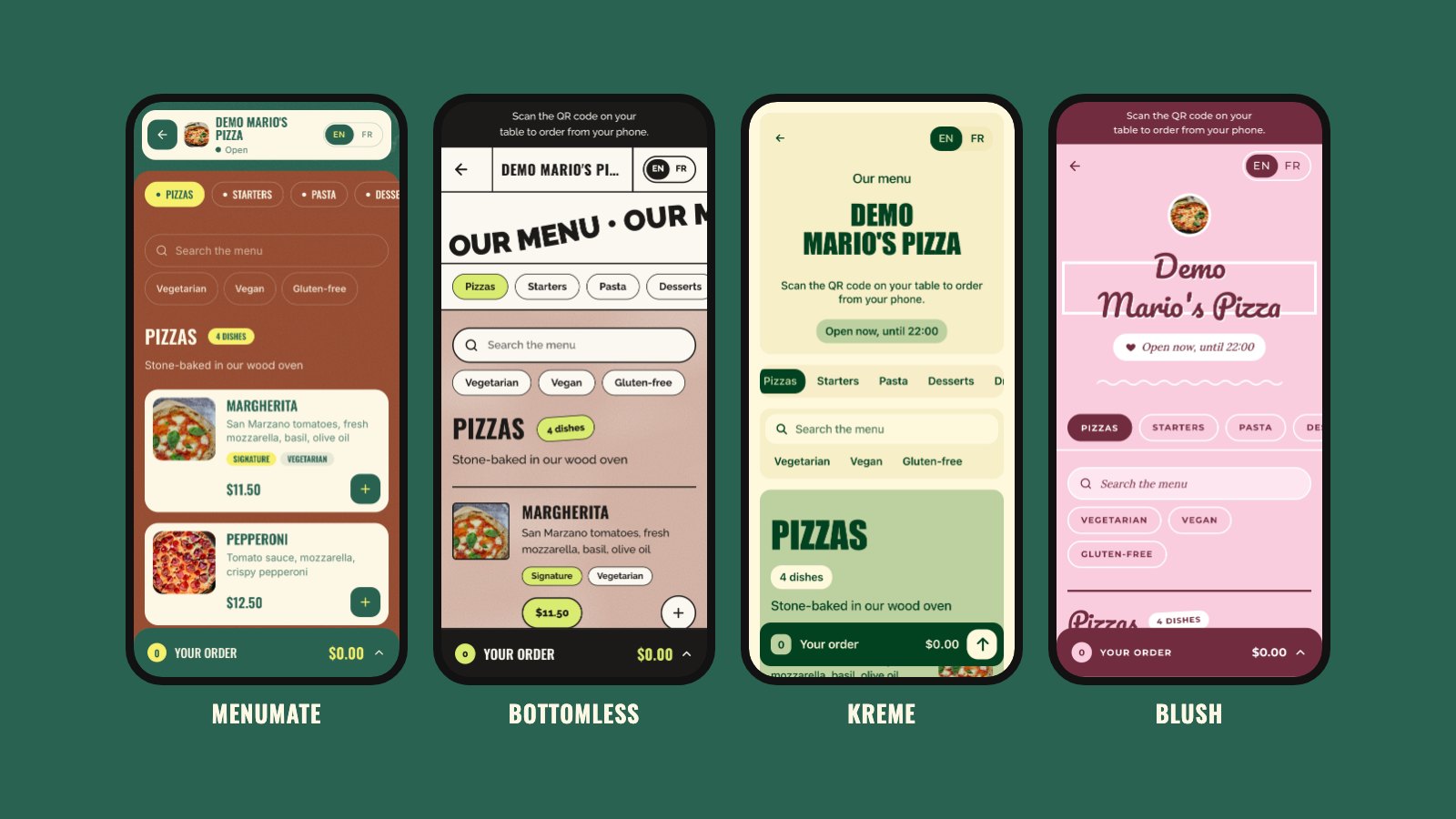
Noir joins MenuMate, Bottomless, Kreme and Blush. See each one on a phone in our guide to QR code menu design.
Common questions
Is Noir free?
Yes. Like every MenuMate theme and every MenuMate feature, Noir is free: no plan, no card, no fee on orders.
Can guests order from the table with Noir?
Yes. Guests add dishes, check the bill and send the order. It reaches your dashboard with the table number, and your staff move it from accepted to ready.
Can guests pay online?
No. MenuMate does not take payments, so guests pay you directly, the way they do today: at the table, at the counter or with your card terminal.
Does the menu need an app?
No. Guests scan the QR code on the table with their phone camera and the menu opens in the browser. Read more about QR code menus.
Want to see it with your own dishes? Create your free digital menu, pick Noir, and print your QR codes the same day.